Servers Are Up Engineering··11 min read·Technical Review Verified
AI Development Server: What You Need and How to Set One Up
AI development server server for AI development
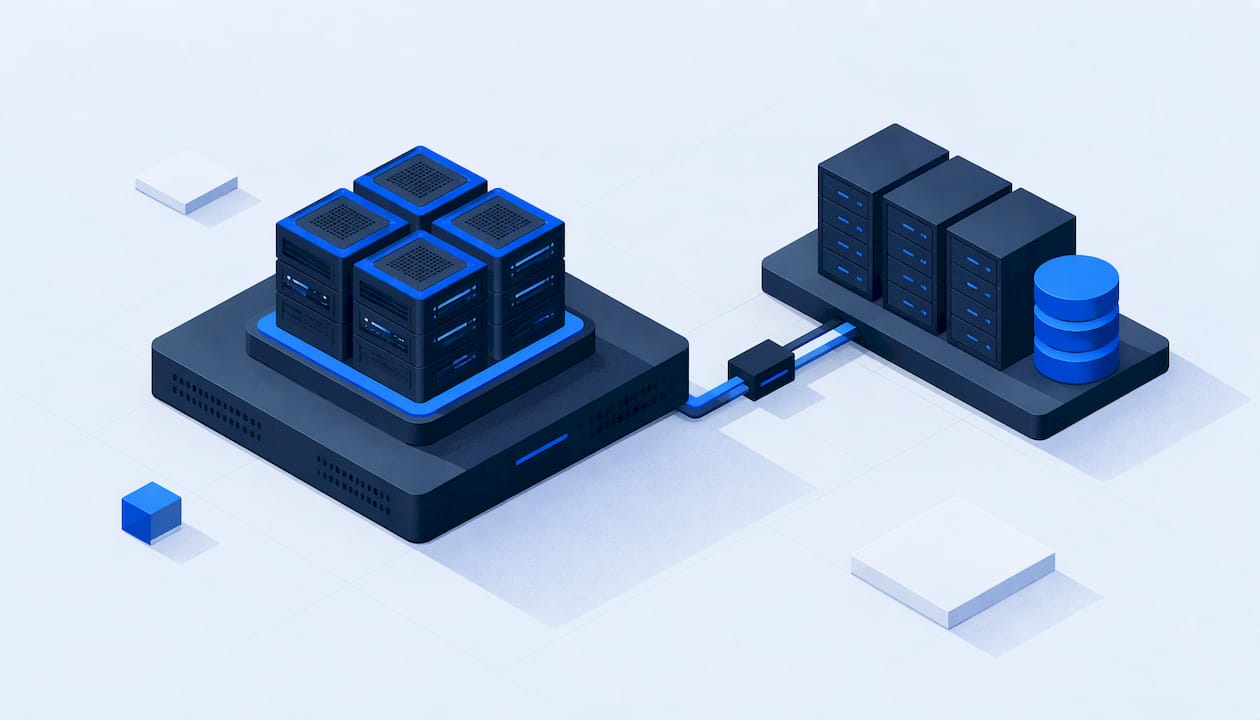
An AI development server is a machine you keep running so your models, agents, vector stores and tooling have a stable place to live while you build. For most developers, hobbyists and small teams, the best setup is a server you can open from a browser, size to the job and change when the job changes. That is how we built Servers Are Up: Linux and Windows servers, containers and pooled resources in one browser console, with an API for automation.
This guide explains what the server does at each stage of AI work, how to size it, how to reach and secure it, and what it costs to run on flat monthly plans.
The term covers more than one job. NVIDIA describes its DGX systems as purpose-built for enterprise AI and data science, spanning experimentation and development, training, and inference at scale. The same brief argues that separating analytics, training and inference onto different infrastructure adds complexity and cost, and that unifying them in one system improves utilization.
The practical reading for a smaller builder is the same: one environment where you can do the following.
Even NVIDIA's cluster software follows this split. Its Run:ai documentation says the scheduler handles interactive development jobs, batch training jobs and ongoing inference jobs, submitted through a UI or CLI on top of Kubernetes. You do not need a cluster to benefit from the idea. Keep development, batch work and serving as separate things, even if they start on one small server.
The right shape depends on what you are building.
| Your project | What the server needs to be | Where we fit |
|---|---|---|
| Self-hosted chat front end or model gateway | Always on, a public address, a place to keep config and data | AI hosting for stacks like LibreChat, Dify and Ollama |
| AI agent running tasks around the clock | Stable uptime, scripted control, room to add tools | Agent plans and agent hosting |
| Developer workspace with several machines | Terminals side by side, networking between machines | Virtual datacenter pools |
| Containerized services and APIs | Docker or Kubernetes, small units that scale in steps | Containers |
| Windows-only tooling | A full desktop in the browser | Windows servers |
If your agents are the main event, our guides on how to run agents on a server and hosting MCP servers and tool-calling workflows go deeper than we can here.
Sizing is where most builds go wrong, and the failure is usually memory rather than compute. Work through four questions in order.
Write it down: experiment, batch job or always-on service. An always-on service needs steady resources and a public address. A batch job needs a burst, then nothing. Mixing them on one box means the experiment you run at 2 p.m. can slow the service your users hit at 2:05.
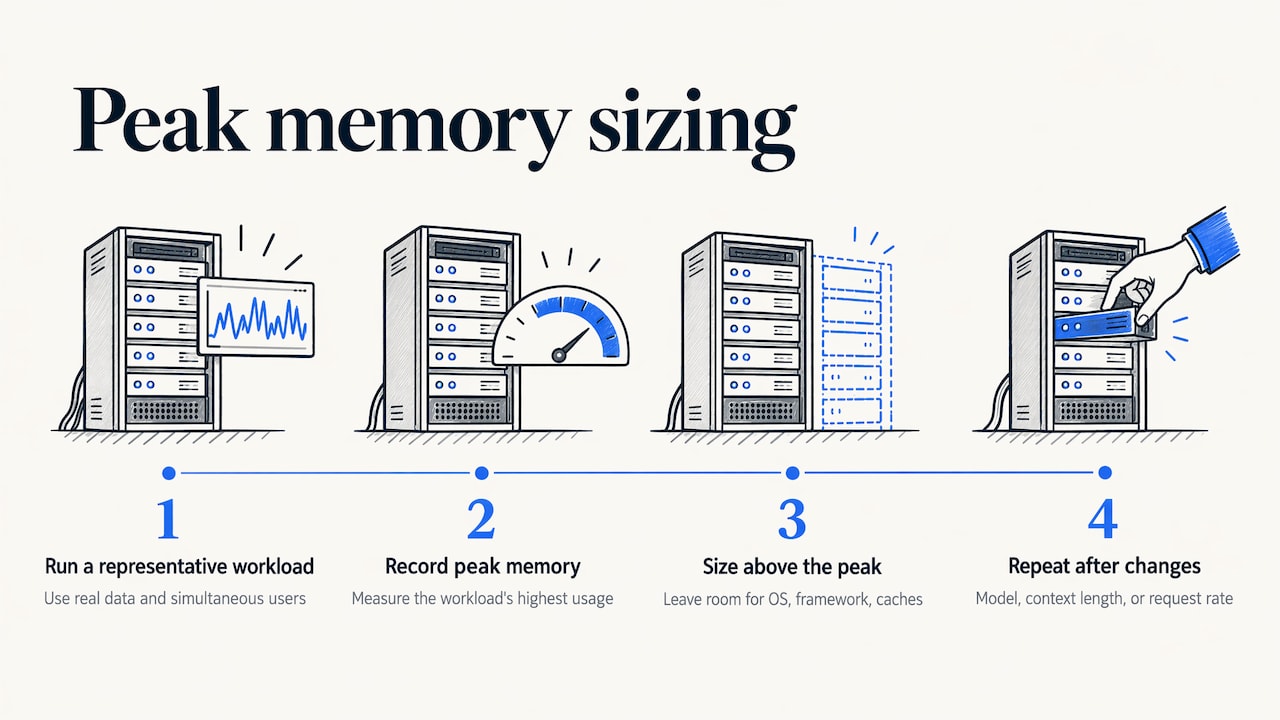
The common mistake is to estimate from one number. The CNCF whitepaper on resource and infrastructure challenges for AI workloads notes that GPU workloads can trigger out-of-memory kills when they use memory the scheduler assumed was free for the system. The lesson applies to any AI service: leave headroom for the operating system, your framework, caches and the other containers on the same machine.
The practical method: run a representative workload with your real data and your real number of simultaneous users, record the peak, then size above it. Repeat the exercise whenever the model, the context length or the request rate changes.
AI work is heavy on files: model weights, datasets, checkpoints, logs. Keep them on storage you can grow without rebuilding the server. NVIDIA's reference architecture design tenets separate the network by traffic type, with one path for compute traffic between nodes and separate connectivity for data ingestion and retrieval. At small scale that translates into a simple habit: do not let a large data transfer share a link with your live service if you can avoid it.
A solo hobbyist needs one login. A team needs separate access, a private network between machines, and ideally a way to script it all. Decide this before you pick plan sizes, because it determines whether you need one server or a pooled set.
The CNCF paper also points out that jobs perform better when the processors they use are connected by fast interconnects. That is a reason to keep tightly coupled work together in one pool instead of scattering it across unrelated hosts.
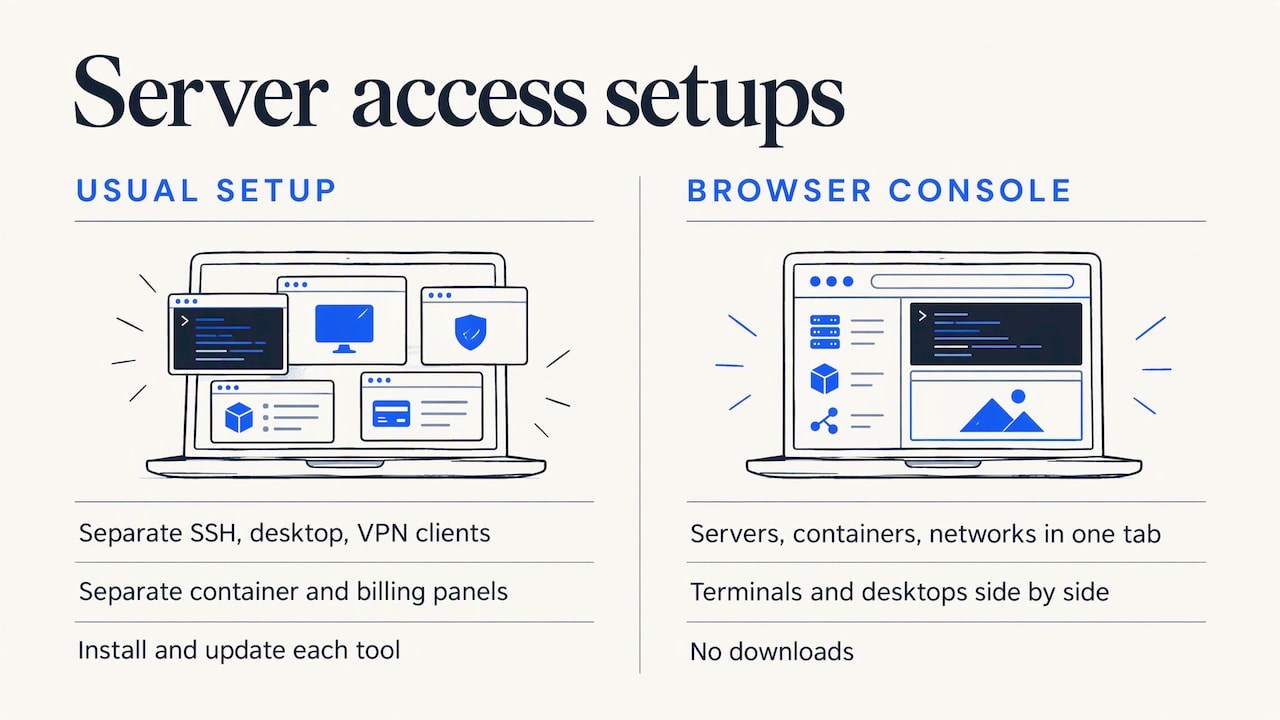
A development server is only useful if getting into it is painless. The usual routine is an SSH client, a remote desktop client, a VPN client, a dashboard for the containers and a separate panel for billing. Each one is another thing to install, update and lose.
In our console, servers, containers and networks are reached from one browser tab, with terminals and desktops side by side and no downloads. You can watch a training script in one terminal, tail a service log in another and keep a Windows desktop open next to them. Our virtual datacenter plans pool resources so that you can carve them into several machines and change the split as the project evolves.
Browser access is also becoming the norm for AI tooling itself. OpenCode's documentation says its web UI is served from the same server as the terminal interface, is password-protected by default and listens on localhost only, with encrypted remote options for reaching it from elsewhere. A server that is already reachable from a browser makes tools like that easier to use from any laptop.
The console is not the only way in. We expose an API and an MCP endpoint, so an AI agent you run can create, resize and manage servers itself. If that is how you want to work, read how to hand your infrastructure to Claude through the v1 API and how AI infrastructure management works with deterministic control and MCP tooling.
A development server often holds API keys, datasets and model files. A short checklist keeps it safe.
Our infrastructure is owned and operated in the United States, which matters if your data has a residency requirement. If you are designing around identity and key management, our write-up on zero-trust stateful apps shows how we approach it.
The cost question people ask is whether to buy hardware or rent. A single monthly fee for a server is easy to plan around, and you can move to a bigger plan or drop to a smaller one as the project changes. Our published prices, as of November 2026:
| Plan | Price per month | Good for |
|---|---|---|
| Agent Micro | $9 | A first always-on agent |
| Linux Starter | $11 | Scripts, small services, learning |
| Docker Starter | $11 | Containerized apps and APIs |
| Docker Standard | $19 | More containers, more headroom |
| Agent Standard | $19 | Heavier agent workloads |
| Hobby Lab | $32 | A personal lab with pooled resources |
| Linux Standard | $38 | A busier single server |
| K8s Dev Cluster | $38 | Testing Kubernetes deployments |
| Developer Studio | $64 | Several machines for one developer |
| Linux Pro | $76 | A large single server |
| Team Workspace | $258 | A shared pool for a team |
Two add-ons are worth knowing. Connecting your own machines, such as a workstation at home or a rack in an office, is $3 per month per machine, and they then appear in the same console as your hosted servers. A public IPv4 address is $5 per month.
If you are comparing against building a server yourself, count more than the parts: power, cooling, a place to put it, and your time when something fails. Add the cost of replacing hardware when your model outgrows it. A flat monthly plan lets you resize instead.
We built Servers Are Up around a simple observation: the people who build with AI spend too much time on plumbing. They juggle clients, consoles and dashboards before they write a line of the thing they set out to make.
Our answer is to put servers, containers and networks in one browser console, with terminals and desktops side by side. Sizing is per unit, so you pay for the server your project needs this month. If next month needs more, you resize it. If your own hardware is already doing useful work, you connect it for $3 per month per machine and manage it alongside everything else.
We also think the next user of your infrastructure is often an AI agent. That is why the API and an MCP endpoint are part of the platform, so the agents you run can manage servers with the same tools you use by hand. All of it runs on hardware we own and operate in the United States.
For most development work, that combination is the shortest path from idea to a running, reachable service.
— Servers Are Up Engineering
If you are building an agent, a chat front end or an API around a model, start with a Linux server from $11 per month or a container plan from $8 per month. If you want several machines, a private network and room to reshape the setup, the virtual datacenter plans begin at $32 per month with Hobby Lab. You get the console, the terminals and the API from the first day.
Gamers can use the same console for game servers, which start from $7.99 per month on our home page.
It is a server where you build, test and run AI workloads: experiments, batch jobs and always-on services such as agents or chat front ends. The key idea is keeping those stages on a stable, reachable machine instead of your laptop. You size it from your model, data and number of users.
Yes. Our servers, containers and networks open in a single browser tab, with terminals and desktops side by side and nothing to download. You can also drive them through our API and MCP endpoint if you want an AI agent to manage the machines for you.
Plan for your peak, not your average. Run a representative workload with real data and real concurrency, record the highest memory use, then add headroom for the operating system and other services. The CNCF whitepaper warns that memory the scheduler assumed was free can trigger out-of-memory kills. Re-measure whenever the model or load changes.
Yes. You can connect your own machines to the console for $3 per month per machine. They then sit next to your hosted servers, so one tab manages both.
Set a password on any web interface before you expose it, and keep it reachable only over a private network or VPN when you are the only user. Fring's documentation notes that an interface open to the network is unsecured without a password. Add a public IPv4 address only to machines that must be reachable from the internet.
Explore With AI & Cite This Page
Open a grounded prompt in your AI assistant or copy a clean Markdown, HTML, or APA reference link.
Validate protocols and subnets directly in your browser or continue reading related architecture notes.
Free WHOIS & RDAP Domain & ASN Lookup Tool
SSH Keygen Generator & Cloud-Init YAML Builder
CVE Vulnerability & CISA KEV Banner Advisor
Sandbox Development Environments: What They Are and How to Run One
What a sandbox development environment is, how it differs from a dev environment, and how to set up an isolated, browser-accessible sandbox server for code, AI and games.
Server Sizing for Workloads: How to Pick CPU, RAM and Storage
Size a server to the workload, not the price tier: measure peak load, set RAM, CPU, storage and network separately, add headroom and know when to resize.
On-Demand Server Hosting: Run Every Server From One Browser Tab
On-demand server hosting explained: how it works, which server types fit dev, AI, business and game workloads, what it costs, and how to launch one in a browser.
Reproducible Cloud Development Environments: VS Code Remote-SSH, DevPod, Agent Forwarding Risks, and KVM Sizing
Engineer remote cloud dev environments with VS Code Remote-SSH, code-server, DevPod devcontainer.json, WireGuard + ForwardAgent no security, and /srv snapshots.