Servers Are Up Engineering··13 min read·Technical Review Verified
Isolated Development Environment: What It Is and How to Build One
isolated development environment isolated development environments isolated dev environment
Engineering Summary & Direct Answer
An isolated development environment keeps each project's code, dependencies and data apart. See how to build one with containers, VMs or a cloud server.
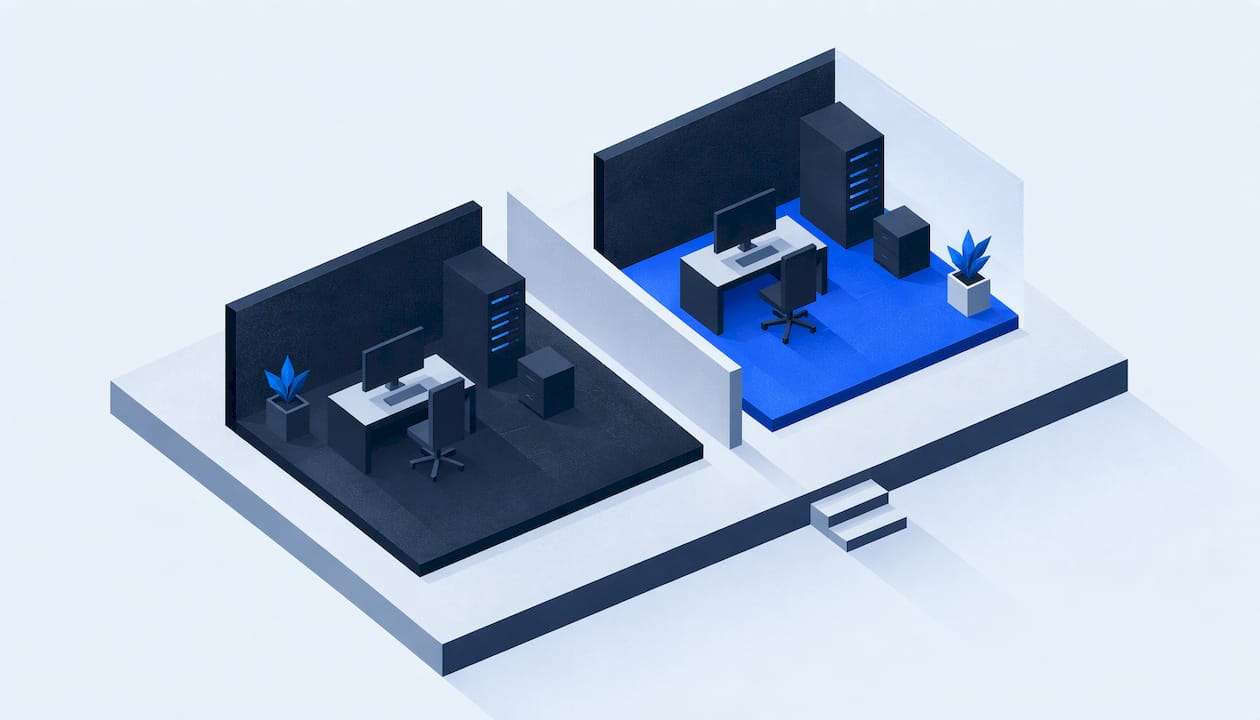
An isolated development environment is a workspace where one project, one developer or one branch runs on its own dependencies, data and network, so nothing you change can break anyone else's work or production. The most dependable way to get one is a dedicated server or container in the cloud that you reach from a browser. It doesn't depend on your laptop's state, and you can reset or throw it away in minutes. We run exactly that kind of environment at Servers Are Up, with Linux and Windows servers, Docker containers and Kubernetes clusters, all opened side by side in one browser tab.
Think of it as a sealed workspace. Inside, you install whatever the project needs: a language runtime, a database, a message queue, a specific library version. Outside, nothing notices. If you break the environment, you delete it and build a new one. If two projects need conflicting versions of the same tool, each gets its own space and both are happy.
It differs from the other environments in a software pipeline mainly by who it serves. A local environment is used by a single developer in complete isolation from teammates, often with mocked external services. A central development environment, by contrast, is shared by the whole team on server infrastructure. The trouble starts when a team treats the shared one as the only place to work.
Endowus, a wealth-management company, described what that looks like in practice. Their engineers reported that teams sharing one development and staging environment overwrote each other's changes, sometimes left environments corrupted for days, and queued up for a turn. Some even bypassed quality gates to get around the bottleneck. Their fix was an environment per team, project and use case.
The benefits are practical, and each one maps to a pain you have probably felt.
No dependency collisions. Project A wants Python 3.9 and an old database driver. Project B wants the latest of both. Installed globally, they fight. Isolated, they never meet.
A safe place to break things. You can try a new framework, run a destructive migration or test a risky script without worrying about your main setup. If it goes wrong, you rebuild.
Parity you can trust. When everyone starts from the same definition of the environment, "it works on my machine" stops being an argument. Testkube's guide to ephemeral environments describes production parity, meaning matching code, configuration, dependencies and data, as the answer to that problem.
Secrets stay out of the wrong places. A dev environment with its own credentials means production keys never land on a personal laptop or in a shared staging log.
Parallel work. With one environment per branch, three people can test three features at once instead of waiting for a single staging slot. Ephemeral environments are short-lived copies created for a pull request or branch and torn down afterward, and you pay for resources only while they run.
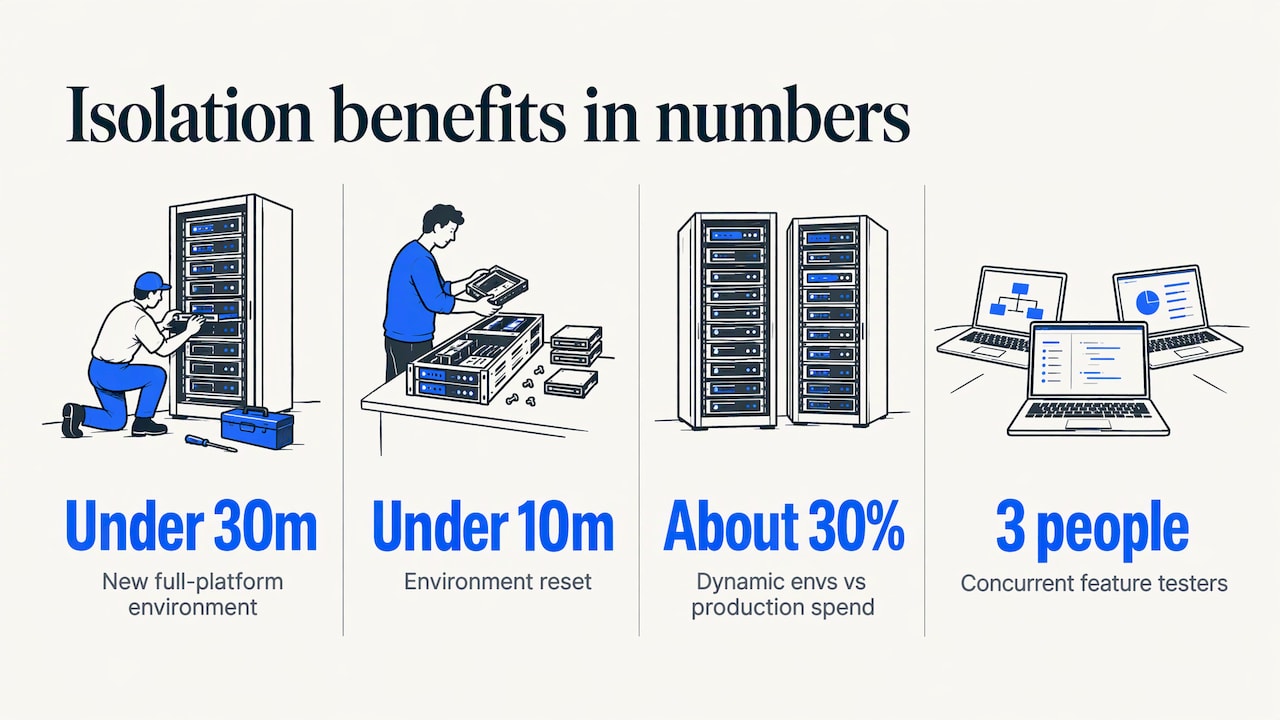
The cost side is better than most people expect. Endowus reports that it can provision a brand-new environment with its full platform in under 30 minutes and reset one in under 10. It uses Kubernetes namespaces for the isolation, and all of its dynamic environments together cost about 30% of production spend. You don't need their scale for the idea to pay off. A solo developer gets the same win from a small server dedicated to one project.
They run from lightest to strongest. Pick the lightest one that solves your actual problem.
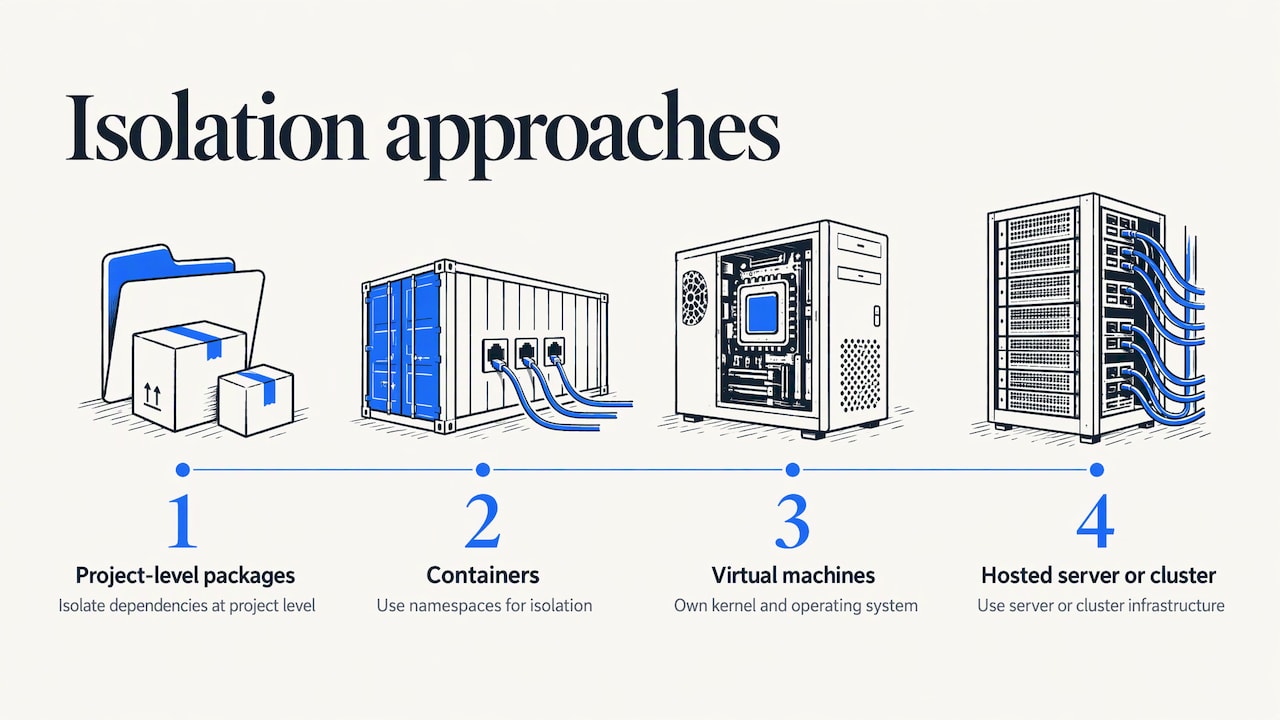
Virtual environments and per-project package folders keep libraries separate for each project. They are quick and free of overhead. They only isolate packages, though. The operating system, system libraries, databases and open ports are still shared, so two projects can still collide on port 5432 or a system-level tool version.
Containers go further. They achieve isolation through separate namespaces for the filesystem, network and process table rather than full virtualization, so code runs at native speed while your editor still sees the files. Avdi Grimm, writing for InfoQ, describes a development container as a fully functional, batteries-included environment that is shared, versioned, reproducible and self-documenting.
One point from the same article is worth taking seriously. Development containers and deployment containers have opposite needs. A dev container wants a full, comfortable OS with plenty of debugging ports and stubbed external services. A deployment container should be lean and hardened. So build your dev container for development rather than reusing the production image.
A virtual machine gives you a whole operating system with its own kernel, which is the right call when you need Windows, a different Linux distribution, systemd services, GUI tools or anything that expects to own the machine. The separation from the host is stronger than a container's, and you get a complete desktop or shell to work in.
Here the environment lives off your machine entirely. You get a dedicated server, container or cluster, reach it through the browser, and nothing about your laptop matters. This is the best fit when your hardware is limited, when several people need the same setup, when the work runs long (training jobs, game servers, background workers), or when you want a clean machine you can reset at will. Our guides on sandbox development environments and cloud development environments go deeper on how to set these up.
| You are | Your main need | Best fit |
|---|---|---|
| A developer with several projects on one machine | Stop version conflicts | Containers, or one small server per project |
| A developer who needs Windows or a full desktop | A whole OS, not a package set | A hosted Windows or Linux server |
| An AI hobbyist | A dedicated machine to run agents and experiments | A hosted server with API access |
| A small team | One consistent setup for everyone | A shared pool of resources split into per-person environments |
| A team shipping through pull requests | One environment per branch | Containers or Kubernetes namespaces |
| A gamer or community admin | A game server separate from everything else | A hosted game server |
When the unit of isolation becomes a branch or a feature instead of a person, containers and clusters do the work. A Docker host suits a small team that runs a handful of services per environment. Kubernetes namespaces suit a team that wants dozens of short-lived copies of a whole application inside one cluster, which is the approach Endowus took.
On our side, Docker and Kubernetes plans start with Docker Starter at $11 per month and Docker Standard at $19 per month. A K8s Dev Cluster is $38 per month, and a K8s Standard Cluster is $114 per month. We also describe how our managed K3s clusters are set up for you. If you want to see how we think about separating customers from one another, there is a write-up on per-customer Docker isolation.
An isolated development environment answers one question: does this run at all? Later environments answer harder ones. QAFactory describes development as checking whether the code runs, UAT (user acceptance testing) as checking whether it meets the business need, and staging as checking whether it will behave the same way in production.
Staging is the one to keep faithful. Signadot explains that it is built from the same deployment artifacts and configuration as production, scaled down in replica counts and node sizes but never in configuration or dependency fidelity. It is not the place for unit-level bugs or day-to-day iteration. That is exactly the job of your isolated dev environment. For a plain-language look at the difference between a staging copy and a live site, see this explanation of staging site versus live site.
The practical split: develop and break things in isolation, merge into a shared staging that mirrors production, and ship only what passed there. Our dev and staging hosting page covers running both on our platform.
The usual tension is that a fully disposable environment is clean, while a long-lived one holds the data you care about. Resolve it by treating the two differently.
If the environment is a hosted server, the same rule holds. Rebuild from the file when you want a clean slate, and keep anything irreplaceable on separate storage.
The case for a hosted environment is strongest when you add up what a laptop-based one costs you in time: setting up each new machine, debugging differences between teammates, keeping a heavy workload from slowing everything else down, and keeping credentials off devices that travel. A hosted environment is available from any browser and doesn't care what your laptop is.
It also fits more than classic development. AI hobbyists get a dedicated machine for agents and model experiments. Gamers get a game server that is separate from everything else they run. Teams get a pool of resources they can slice into one environment per person. If you already have machines elsewhere, you can connect them to the same console for $3 per month per machine, and manage servers, containers and networks together.
What we think
Most teams treat isolation as a tooling problem, but it is really a habit problem. The environments that stay clean are the ones that are cheap to create and cheap to destroy, because then nobody hesitates to throw one away.
That is why we built Servers Are Up around the browser. Servers, containers and networks open in one tab, with terminals and desktops side by side, and the same actions are available through an API and MCP endpoint for your own AI agents. Everything runs on hardware we own and operate in the United States.
Our advice is simple: give every project, and where it helps every branch, its own sized-to-fit environment, and pay a flat monthly fee for it instead of fighting your laptop.
— Servers Are Up Engineering
For a single isolated project, start with a Linux Starter server at $11 per month, or Docker Starter at $11 per month if your project is already containerized. Hobbyists and small teams who want several environments carved out of one pool can look at the virtual datacenter plans: Hobby Lab at $32 per month, Developer Studio at $64 per month and Team Workspace at $258 per month. If your project needs Windows, Windows Starter is $35 per month. A public IPv4 address is an add-on at $5 per month.
Browse the full plan list and pricing to size your first environment, then add or remove servers as the work changes.
Before handing shell or repository credentials to an AI coding agent or promoting an isolated environment, validate your MCP configuration against tool-poisoning and hardcoded-secret leaks, then execute bounded commands over TLS 1.3 or short-lived SSH leases:
# Scan an mcp.json configuration with open-source ops-cage before launching agents
npx --yes @serversareup/ops-cage@latest scan ./mcp.json --sarif ops-cage.sarif

# Connect Claude Code directly to Servers Are Up hosted MCP endpoint
claude mcp add --transport http serversareup https://serversareup.com/api/mcp/v1
{
  "mcpServers": {
    "serversareup": {
      "url": "https://serversareup.com/api/mcp/v1",
      "headers": {
        "Authorization": "Bearer <SCOPED_PAT>"
      }
    }
  }
}
Compare turnkey AI and agent runtimes on AI Agent Infrastructure, deploy standalone containers at /containers, or automate provisioning cleanly through the REST API v1 Reference.
It is a self-contained workspace with its own dependencies, configuration and data, so work inside it cannot interfere with other projects or with production. It can be created and torn down quickly using containers or virtualization, and it is the base for safe experiments and parallel testing.
Dev is where developers check that code runs at all, usually with test or stubbed data. UAT, user acceptance testing, is where the business confirms the software meets its needs, typically on near-production or masked data. Isolation matters most in dev, while UAT and staging should look as much like production as possible.
No. Docker is a popular option because containers are light and reproducible, but a virtual machine or a dedicated hosted server isolates just as well, and is the better fit when you need Windows, a full desktop or a long-running workload. Choose by what the project needs.
Separate what is disposable from what is not. Keep code in Git, define setup in a file, and put data on a mounted volume or restore it from a seed script. Then deleting and rebuilding the environment never costs you anything you wanted to keep.
Explore With AI & Cite This Page
Open a grounded prompt in your AI assistant or copy a clean Markdown, HTML, or APA reference link.
Validate protocols and subnets directly in your browser or continue reading related architecture notes.
UFW Firewall Rule Generator & Chmod Calculator
What Is My IP — IPv4, IPv6, rDNS & Headers
Free DNS Zone File, CAA & DMARC Record Generator
Sandbox Development Environments: What They Are and How to Run One
What a sandbox development environment is, how it differs from a dev environment, and how to set up an isolated, browser-accessible sandbox server for code, AI and games.
Reproducible Cloud Development Environments: VS Code Remote-SSH, DevPod, Agent Forwarding Risks, and KVM Sizing
Engineer remote cloud dev environments with VS Code Remote-SSH, code-server, DevPod devcontainer.json, WireGuard + ForwardAgent no security, and /srv snapshots.
AI Development Server: What You Need and How to Set One Up
What an AI development server does, how to size CPU, memory, storage and network for your workload, and how to run one from your browser with flat monthly pricing.
Custom Server Configuration: How to Size, Build and Secure Yours
Learn how to configure a custom server: size CPU, RAM and storage from real data, lock down access, test, and resize later, all from one browser console.